Crypto Wallet: Secure, Fast & Easy to Use | Brand

Introduction
If you’re getting into cryptocurrency, you’ll quickly realize that figuring out where to store your digital assets is one of the first real decisions you need to make. Unlike keeping money in a bank, there’s no institution automatically handling the security of your crypto—you’re responsible for your own keys, which means you’re responsible for your own wallet.
A crypto wallet doesn’t actually hold your coins the way a physical wallet holds cash. Instead, it holds the cryptographic keys that let you access your funds on the blockchain. Think of it less like a wallet and more like a keyring for your digital assets.
This guide walks through the different types of wallets available, how they work, and how to pick one that matches your situation. Whether you’re just starting out or you’ve been around for a while, understanding the trade-offs here actually matters—lose your keys and there’s no customer service number to call.
What Is a Crypto Wallet?
At its most basic, a crypto wallet is software or hardware that lets you interact with a blockchain. The wallet holds two keys: a public key that works like an account number (share this so people can send you money) and a private key that works like a password (never share this).
When you want to send crypto, your wallet uses your private key to create a digital signature. This proves you own the funds without exposing your private key to the network. It’s a clever system—in theory, only someone with your private key can authorize a transaction from your address.
Most wallets these days do more than just store keys. You can often track prices, swap one token for another, connect to decentralized apps, and manage NFTs. The convenience has come a long way from the early days when you basically needed a computer science degree just to send Bitcoin to someone.
Hot Wallets vs Cold Wallets
The biggest split in crypto storage is between hot wallets and cold wallets. The difference comes down to whether the wallet connects to the internet.
Hot Wallets
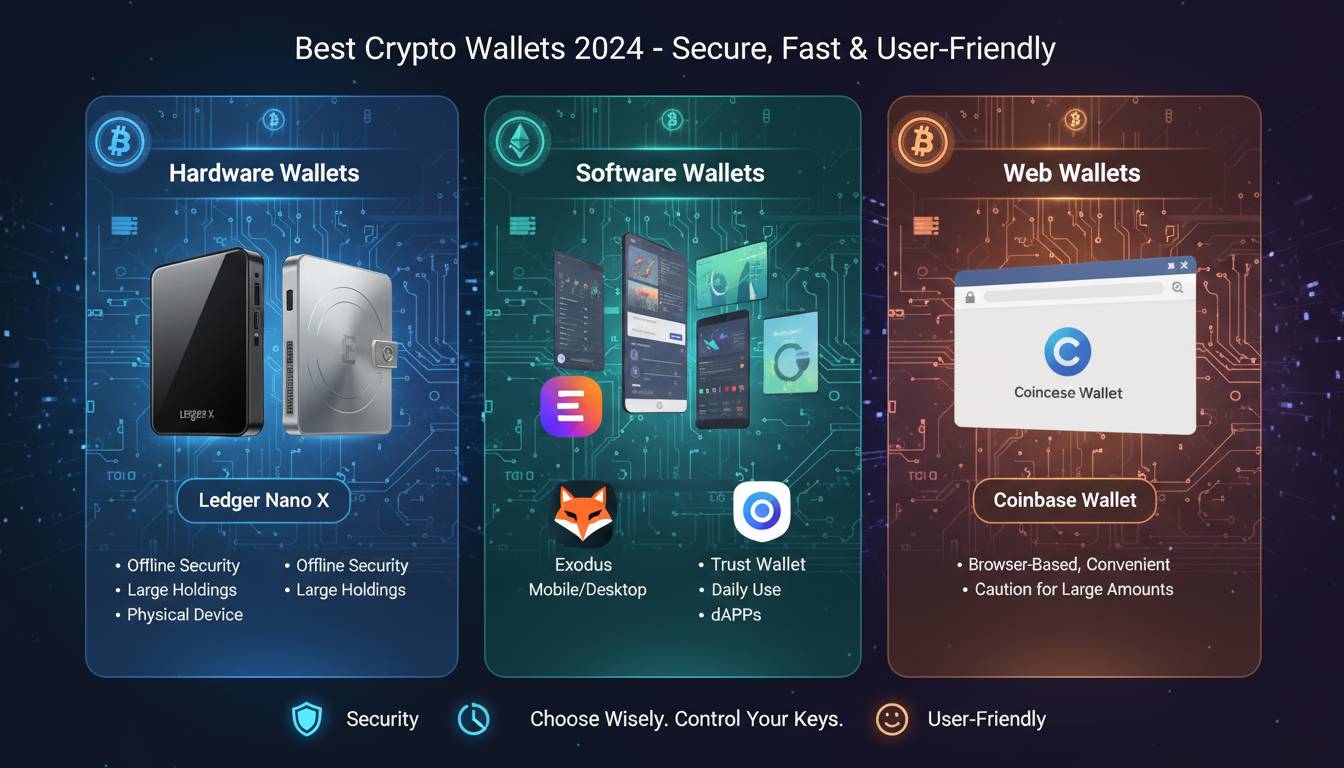
Hot wallets stay online. They’re usually built into exchange accounts or come as mobile and desktop apps. The main perk is convenience—you can send and receive funds almost instantly without fiddling with extra hardware.
The trade-off is security. Because your keys sit on an internet-connected device, there’s always some risk of malware, phishing, or a server breach. Exchange hot wallets have gotten much safer over the years (most keep the majority of funds offline in cold storage and carry insurance), but they’re still more exposed than offline alternatives.
For everyday trading and spending, hot wallets make sense. For long-term holds, most people want something colder.
Cold Wallets
Cold wallets stay offline. This includes hardware wallets—physical devices that generate and store keys without ever connecting to the internet—and paper wallets, which are just keys printed on paper.
The offline nature means remote attacks basically can’t reach your keys. Hardware wallets in particular have become the go-to for anyone holding serious crypto. They use secure chips to protect keys, and transactions get signed inside the device itself. Your computer or phone never sees the private key—just the finished signature.
Yes, they cost money (typically $80 to $250), and yes, they’re slightly less convenient than tapping a button on your phone. But if you’re holding thousands of dollars in crypto, the peace of mind is worth it.
Types of Crypto Wallets
Mobile Wallets
Mobile wallets are apps on your phone. They’re handy for paying at places that accept crypto, checking your balance on the go, and scanning QR codes. Trust Wallet, Coinbase Wallet, and BlueWallet are popular options.
The obvious downside is phone security. If your phone gets stolen or compromised, your crypto could be at risk. Keep your phone locked, use biometrics, and maybe think twice before keeping your life savings in a mobile wallet.
Desktop Wallets
Desktop wallets run on your computer. Exodus, Electrum, and Atomic Wallet fall into this category. They usually offer more features than mobile apps—better portfolio tools, built-in exchanges, more control over settings.
The catch is computer security generally. Laptops and desktops get viruses, people download sketchy software, and generally computers have a bigger attack surface than dedicated hardware. Use good antivirus software, keep everything updated, and don’t click suspicious links.
Hardware Wallets
Ledger and Trezor dominate this space. These devices generate and store private keys in secure elements—specialized chips designed to resist tampering. When you need to sign a transaction, you plug the device in, verify the details on its screen, and press a physical button. The private key never leaves the device.
For anything beyond small spending money, hardware wallets are worth considering. The upfront cost beats losing your life savings to a hack.
Paper Wallets
Paper wallets are exactly what they sound like—printing your public and private keys on paper. They’re completely offline and were more common before hardware wallets became affordable.
The problem is they’re fragile. Paper gets lost, torn, wet, or burned. And when you finally want to use the funds, you have to import the keys into software, which creates a security moment. Most people are better off with a hardware wallet.
How to Choose a Crypto Wallet
Picking a wallet means thinking about what actually matters to you. There’s no single “best” wallet that works for everyone.
Security Features
Two-factor authentication, backup options, and whether you control your own keys all matter. Hardware wallets are most secure but cost money. Exchange wallets are convenient but you don’t fully control your keys. Think about what you’re comfortable with.
Also check whether the provider has had security incidents in the past. No one wants to trust their money to a company that got hacked last year.
Supported Cryptocurrencies
Not every wallet supports every coin. If you’re holding Bitcoin and Ethereum, most wallets work. If you’re into smaller altcoins, check compatibility before committing. Managing five different wallets for different coins gets old fast.
User Interface
Some wallets are clunky. Some are intuitive. Some assume you already know what a seed phrase is. If you’re new, try a few and see what clicks. Most wallets let you test with small amounts before going big.
Fees
Hardware wallets have one-time costs. Exchange wallets often charge transaction fees. Some wallets add extra charges for certain features. Read the fine print so you’re not surprised later.
Best Crypto Wallets for Beginners
If you’re just starting out, you want something that won’t scare you off but won’t compromise your security either.
Coinbase Wallet works well if you’re already using Coinbase. The mobile app is straightforward and the integration with the exchange makes moving money easy.
MetaMask is the standard for Ethereum and anything built on it—most decentralized apps, NFT marketplaces, and DeFi protocols work with it natively. The browser extension and mobile app are both solid.
Trust Wallet supports a huge range of coins and makes it easy to stake directly from the app. Good for if you want to hold various tokens without jumping between platforms.
How to Set Up a Crypto Wallet
Setting up a wallet is usually straightforward, but the steps matter.
First, download from official sources only. For hardware wallets, buy directly from the manufacturer or authorized retailers—not eBay.
When you create the wallet, you’ll get a recovery phrase (usually 12 or 24 words). Write this down. Multiple times. Store copies in different secure locations. If you lose this phrase and lose access to your wallet, your crypto is gone forever. No password reset, no customer service.
Never store your recovery phrase digitally. Screenshots, cloud storage, email—any of these can be hacked. Paper in a safe place is the way.
After setting up, test with a small transaction before moving significant money. Send $10, make sure it arrives, then proceed.
Is a Crypto Wallet Safe?
Here’s the honest answer: it depends. No wallet is perfectly secure, but some are much safer than others.
Hardware wallets are the safest for most people—they resist remote attacks and keep keys offline. But someone with physical access to an unlocked device could still cause problems.
Hot wallets are vulnerable to online threats, though major exchanges have invested heavily in security. The biggest risk is usually user error—falling for phishing, clicking bad links, giving away keys to scammers.
The best security approach combines good tools with good habits. Use all available security features. Verify addresses before sending. Keep software updated. Don’t brag about how much crypto you hold online.
Conclusion
Crypto wallets aren’t going anywhere. As cryptocurrency becomes more mainstream, the tools for managing it will only get better. But the basic principle stays the same: if you control your keys, you control your money. If someone else controls your keys, you’re trusting them with your money.
The right wallet for you depends on how much you hold, how often you transact, and how much convenience versus security matters to you. Start simple, learn as you go, and don’t rush to move significant money until you’re comfortable with how things work.
Frequently Asked Questions
What is a crypto wallet?
A crypto wallet is software or hardware that stores your public and private keys. The public key is like an address people can send money to; the private key is like a password that authorizes transactions. The wallet doesn’t store the actual cryptocurrency—it lets you access your funds on the blockchain.
Do I really need a crypto wallet?
If you own cryptocurrency, you need somewhere to store the keys that give you access to it. Exchange wallets work, but they hold your keys for you, which means you’re taking on counterparty risk. For anything beyond small amounts, running your own wallet is generally smarter.
Which crypto wallet is best for beginners?
Coinbase Wallet, Trust Wallet, and MetaMask are all beginner-friendly. Coinbase Wallet integrates with the Coinbase exchange, Trust Wallet supports tons of coins, and MetaMask is essential if you’re using Ethereum-based apps or tokens.
Are crypto wallets safe?
They can be very safe. Hardware wallets offer the strongest protection for larger holdings. Reputable hot wallets are reasonable for smaller amounts and frequent trading. Safety mostly comes down to how you use them—good habits matter more than perfect tools.
Can crypto wallets be hacked?
Yes. Hot wallets can be compromised through malware, phishing, or exchange breaches. Hardware wallets resist remote attacks but can be vulnerable if someone physically steals the device plus gets your PIN. Good security practices dramatically reduce the risk.