AI Image Generator: Create Stunning Images in Seconds

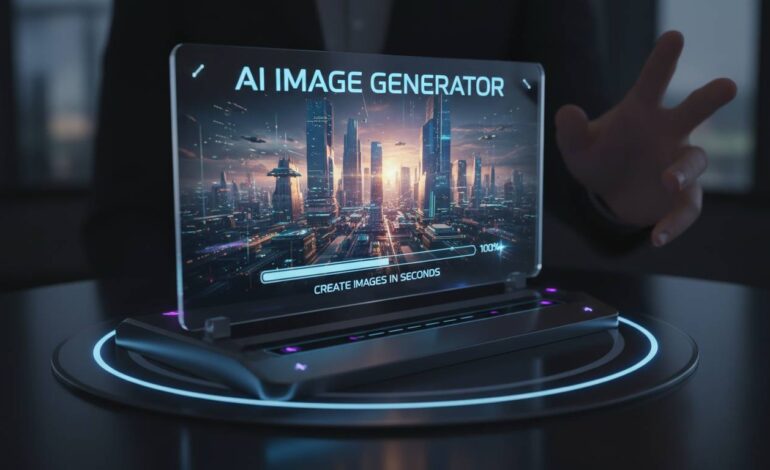
Artificial intelligence has changed how people create visual content. With an AI image generator, you can produce images from text descriptions in seconds. This technology has made digital art creation accessible to anyone with a computer, from marketing teams to hobbyists making illustrations for personal projects.
This guide covers how these tools work, what you can do with them, and what to know before using them commercially.
What Is an AI Image Generator?
An AI image generator is software that creates images based on text prompts. You describe what you want, and the system translates that description into a visual. The results range from realistic photographs to artistic illustrations to abstract designs.
The technology uses deep learning models called diffusion models and generative adversarial networks (GANs). Diffusion models start with random noise and gradually remove it to form coherent images. GANs use two neural networks—one creates images, the other evaluates them—repeating this process until the output improves.
Your prompt’s detail directly affects the result’s quality. Most generators let you adjust style, composition, color, and aspect ratio.
How They Work
When you submit a text prompt, the AI breaks your description into semantic components—objects, attributes, relationships. It processes these through neural networks trained on millions of existing images, learning how visual concepts correspond to language. Then it predicts what pixels should look like based on that training.
Most tools offer different output styles: photorealistic, artistic, cartoon, anime, abstract. Many support negative prompts, so you can specify what you don’t want in the image. This gives you better control over the final result.
Generation speed has gotten much faster. What used to take minutes now often takes seconds, though higher quality and resolution take longer.
Popular Options
Several tools are worth knowing about. Each has different features, pricing, and trade-offs.
DALL-E 3, from OpenAI, handles complex prompts well and produces detailed images. It integrates with other OpenAI products and has both free and paid versions.
Midjourney is popular among digital artists. It produces highly artistic images and works through Discord, with an active community sharing tips and prompts.
Stable Diffusion is open-source, meaning you can run it locally on your own machine. This gives you more privacy and customization, though it requires more technical setup. Web interfaces make it easier to use.
Adobe Firefly plugs directly into Adobe’s creative tools. If you’re already using Photoshop or Illustrator, this integrates smoothly and includes commercial usage rights.
Leonardo.ai targets game developers and content creators, with tools for assets, characters, and environmental designs.
Getting Started
You don’t need technical expertise to start. Most platforms have simple interfaces. The main skill to develop is writing effective prompts.
Good prompts include the subject, artistic style, lighting, and mood. For example: “a golden retriever sitting in a sunny meadow at sunset, soft golden hour lighting, photorealistic, 4k quality” gives the AI specific guidance.
Experimenting helps you learn how the AI interprets different descriptions. Adding style references (like “oil painting” or “digital art”), specifying lighting, and mentioning artists all affect results. Many platforms let you upload reference images too.
Resolution and quality settings affect both visual fidelity and file size. Professional projects usually need higher resolutions, while quick concept tests work fine at lower settings. Most tools offer batch generation for creating multiple variations at once.
Features like inpainting (editing specific areas) and outpainting (extending images beyond original boundaries) expand what’s possible. Worth exploring once you’re comfortable with the basics.
Commercial and Legal Considerations
Using AI-generated images commercially involves some legal and ethical complexity.
Most platforms give you ownership of images you create, but terms vary. Free tiers sometimes restrict commercial use, while paid subscriptions often include explicit commercial licensing. Check the terms before using generated images in client work or products.
Copyright is still unsettled. Questions about who owns AI-generated images—user, platform, or no one—are being addressed by legal systems in different countries. Some jurisdictions have started establishing frameworks, but rules vary widely.
Ethically, be aware of concerns around misuse: deepfakes, misinformation, or content that copies existing copyrighted work. Most platforms have safety measures and content restrictions. Use good judgment, especially for journalistic or informational contexts.
Where Things Are Heading
The technology will keep improving. Models will handle complex prompts better, and outputs will improve in quality. Video generation is already emerging, which points toward dynamic AI content in the future.
Integration with other AI systems—text, video, audio—will enable more sophisticated workflows. Entirely AI-produced multimedia content is becoming feasible.
Accessibility is improving too. Better interfaces, prompt assistance, and language support are lowering barriers. This will change industries from advertising to education.
Safety and alignment research remains important as capabilities grow. Developers, policymakers, and users all have roles in keeping the technology beneficial.
Common Questions
What’s the best free option?
Microsoft Copilot gives free access to DALL-E 3 with a Microsoft account. Stable Diffusion is free if you can run it locally. Leonardo.ai offers free daily credits for new users. All have limits—one kind or another.
Can I use these images commercially?
Most platforms allow commercial use, but check the specific terms. Paid subscriptions usually make this clearer. Keep records of your usage rights in case questions come up.
How do I write better prompts?
Be specific. Include subject, style, lighting, mood, and technical quality. Comma-separated descriptions help the AI parse different elements. Look at what works in community forums, then experiment.
Are the results realistic enough for professional work?
Often yes, but generated images sometimes contain subtle artifacts or anatomical oddities, especially in complex scenes. Professional use usually needs a careful review and possibly some editing.
Do they understand everything?
No. They struggle with abstract concepts, unusual combinations, and highly specific requirements. Testing with reference images helps for specialized topics.
How are businesses using this?
Marketing teams create social media content. Product designers visualize concepts. Content teams generate website imagery and prototypes. The main benefits are cost and time savings on visual production.
The Bottom Line
AI image generators have changed visual content creation. Whether you’re a professional looking to speed up workflow or someone curious about digital art, these tools are worth exploring.
The technology keeps advancing, so staying current with developments matters. Try a few different platforms to see which fits your needs. Many have free tiers or trials.
The balance between possibility and responsibility is ongoing. But for now, the tools are accessible and capable—and there’s no better time to try them if you’re curious.