Best Bitcoin Wallet App Comparison – Secure & User-Friendly


Choosing the right Bitcoin wallet app can mean the difference between seamless crypto management and costly security breaches. With over 320 million cryptocurrency users worldwide and billions lost annually to hacks and scams, selecting a secure, intuitive wallet isn’t just convenient—it’s essential for protecting your digital assets.
This comprehensive guide compares the leading Bitcoin wallet apps available in the US market, analyzing security features, fee structures, user experience, and supported functionalities. Whether you’re a first-time buyer or a seasoned hodler, you’ll find actionable insights to help you select the wallet that best matches your needs.
Understanding Bitcoin Wallet Fundamentals
Before examining specific apps, it’s important to understand the distinction between different wallet types. A Bitcoin wallet doesn’t actually store your coins—it stores your private keys, which are the cryptographic codes that prove ownership of your Bitcoin and authorize transactions.
Custodial vs. Non-Custodial Wallets represent the fundamental divide in the market. Custodial wallets, like those offered by exchanges such as Coinbase, hold your private keys on your behalf. This means easier recovery options if you lose access, but also means you don’t have full control over your assets. Non-custodial wallets give you complete control over your private keys, aligning with Bitcoin’s core philosophy of self-sovereignty. However, this comes with added responsibility—if you lose your recovery phrase, your funds are irretrievably lost.
Hot wallets connect to the internet and offer convenience for frequent transactions, while cold wallets remain offline and provide superior security for long-term storage. Most users benefit from a combination: a small amount in a hot wallet for daily spending, with the majority of holdings in cold storage.
The wallet you choose should balance three factors: security level, ease of use, and your intended usage frequency. A novice investor holding Bitcoin long-term has different needs than an active trader executing multiple transactions weekly.
Top Bitcoin Wallet Apps Compared
The following comparison evaluates the leading Bitcoin wallet applications based on security architecture, fee transparency, supported assets, and overall user experience. All apps listed are available for US users and have established track records.
| Wallet | Type | Platform | Best For | Security Rating |
|---|---|---|---|---|
| Coinbase Wallet | Non-custodial | iOS/Android | Beginners | ⭐⭐⭐⭐ |
| Trust Wallet | Non-custodial | iOS/Android | Mobile users | ⭐⭐⭐⭐ |
| Ledger Live | Hardware companion | Desktop/Mobile | Maximum security | ⭐⭐⭐⭐⭐ |
| Exodus | Non-custodial | Desktop/Mobile | UI enthusiasts | ⭐⭐⭐⭐ |
| Electrum | Non-custodial | Desktop | Advanced users | ⭐⭐⭐⭐⭐ |
| BlueWallet | Non-custodial | iOS/Android | Lightning Network | ⭐⭐⭐⭐ |
Coinbase Wallet – Best for Beginners
Coinbase Wallet has emerged as the go-to choice for US users entering the cryptocurrency space. The wallet integrates seamlessly with the Coinbase exchange, making purchasing Bitcoin straightforward through bank transfers or debit cards.
Security Features: Coinbase Wallet employs biometric authentication, secure enclave technology on mobile devices, and optional cloud backup encryption. The wallet is non-custodial, meaning Coinbase cannot access your private keys. However, the mobile app has experienced phishing attacks in the past, highlighting the importance of securing your recovery phrase offline.
Fee Structure: Network fees apply to all transactions, with Coinbase adding no additional wallet fees. However, purchasing Bitcoin through the integrated exchange carries a spread markup of approximately 0.5% to 2% depending on transaction size.
User Experience: The interface ranks among the most intuitive in the market. New users can buy Bitcoin within minutes of downloading the app. The wallet supports over 100,000 cryptocurrencies and tokens, making it versatile for portfolio diversification.
Limitations: Unlike the Coinbase exchange, wallet customer support has historically been slow to respond. Additionally, the wallet’s convenience comes at the cost of slightly higher purchase fees compared to using the exchange directly.
Trust Wallet – Best Mobile Experience
Trust Wallet, owned by Binance, has accumulated over 60 million downloads and supports more cryptocurrencies than any other mobile wallet. Its broad asset support makes it attractive for users seeking exposure to altcoins alongside Bitcoin.
Security Features: The wallet provides standard security measures including PIN protection, biometric access, and encrypted private key storage. Trust Wallet does not collect personal data, aligning with privacy-focused users. However, being owned by a major exchange has raised questions about potential data sharing practices.
Fee Structure: No fees for receiving cryptocurrency. Network transaction fees apply for sending Bitcoin. The built-in exchange feature for swapping tokens carries a 0.875% fee, which is competitive within the industry.
User Experience: Trust Wallet’s mobile interface is polished and responsive. The in-app browser supports decentralized applications (dApps), enabling users to interact with DeFi protocols and NFT marketplaces directly from the wallet. The wallet also supports staking for various Proof-of-Stake cryptocurrencies.
Limitations: Some users report slower customer support response times. The sheer number of supported assets can make the interface feel cluttered for Bitcoin-only users. Additionally, Trust Wallet has experienced security incidents, including a 2020 breach that compromised user funds.
Ledger Live – Best for Security-Conscious Users
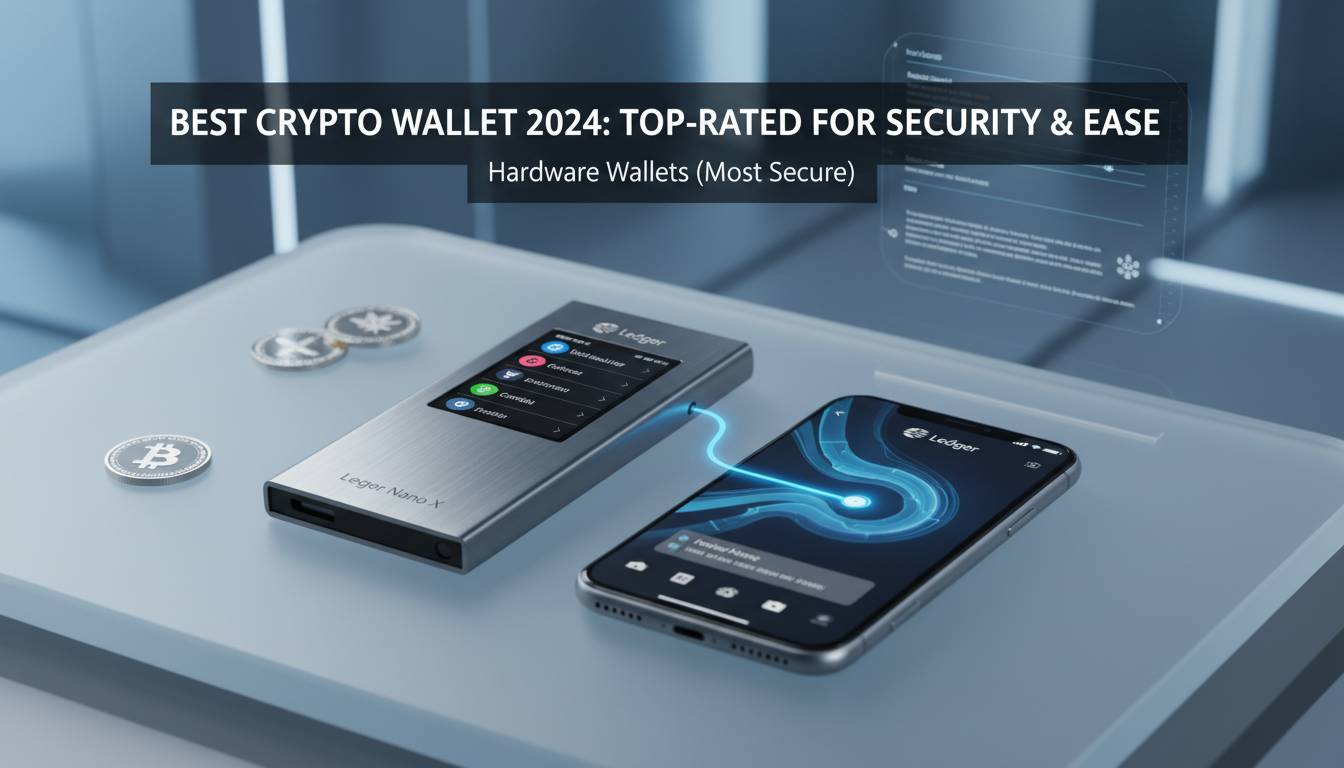
Ledger Live represents the software companion to Ledger’s industry-leading hardware wallets. While using the app requires purchasing a Ledger device, the security architecture is unparalleled for mobile and desktop users.
Security Features: Private keys never leave the hardware device, even when transacting. All transactions must be physically confirmed on the Ledger device, eliminating remote hacking possibilities. The hardware wallet stores recovery phrases in secure elements certified at the highest level (Common Criteria EAL6+).
Fee Structure: No software fees for using Ledger Live. Users pay only network transaction fees. The upfront cost of the hardware device (starting at $79 for the Ledger Nano S Plus) is the primary investment.
User Experience: Setup requires additional steps compared to pure mobile wallets, including connecting the hardware device and installing apps. Once configured, the experience is smooth, with clear transaction confirmations and portfolio tracking. The desktop application provides a comprehensive view of holdings across multiple accounts.
Limitations: Not ideal for users who need to transact frequently on mobile. The hardware requirement adds cost and complexity. Hardware failures, while rare, can create recovery challenges if the recovery phrase isn’t properly secured.
Exodus – Best Design and Cross-Platform Experience
Exodus has distinguished itself through exceptional design quality and seamless cross-platform synchronization. The wallet’s aesthetic appeal has earned it a devoted user base, particularly among those who value visual experience.
Security Features: Exodus employs standard encryption practices and stores private keys locally on user devices. The wallet offers optional integration with Trezor hardware wallets for enhanced security. However, Exodus is a non-custodial wallet, meaning users maintain full control of their keys.
Fee Structure: Network fees apply to transactions. Exodus charges no markup on cryptocurrency exchanges within the app, instead generating revenue through premium features and the built-in exchange service.
User Experience: The wallet’s design is consistently praised as among the best in the industry. Portfolio visualization is particularly strong, with clear charts and asset allocation displays. Cross-platform synchronization works smoothly between mobile and desktop. The wallet includes an in-app exchange supporting over 180 cryptocurrencies.
Limitations: Exodus has faced criticism for slower development compared to competitors. Some users report occasional sync issues between devices. The wallet’s focus on design sometimes means feature updates lag behind more rapidly developing alternatives.
Electrum – Best for Advanced Desktop Users
Electrum has operated since 2011, making it one of the oldest continuously functioning Bitcoin wallets. Its longevity speaks to reliability, though the steeper learning curve limits its appeal to newcomers.
Security Features: Electrum offers advanced security features including multi-signature support, two-factor authentication using hardware devices, and the ability to run in a watch-only mode for monitoring without exposure of private keys. The wallet has never been successfully hacked through its own infrastructure, though users have been targeted by phishing scams impersonating Electrum.
Fee Structure: Electrum does not add markup to Bitcoin transactions. Users set their own fees based on network conditions. The wallet offers fee customization, allowing users to prioritize speed or cost savings.
User Experience: The desktop interface feels dated compared to modern alternatives. New users face a learning curve to understand features like coin control and custom fee settings. However, advanced users gain powerful capabilities including hardware wallet integration, cold storage setup, and detailed transaction filtering.
Limitations: Bitcoin-only focus means users must maintain separate wallets for other cryptocurrencies. The interface lacks the polish of consumer-focused alternatives. Mobile support requires third-party applications, as Electrum’s official mobile wallet has limited functionality.
BlueWallet – Best for Lightning Network
BlueWallet has carved a niche serving users interested in Bitcoin’s Lightning Network, the Layer 2 solution enabling fast, low-cost transactions. For users prioritizing micropayments and daily spending, BlueWallet offers unique capabilities.
Security Features: BlueWallet provides non-custodial storage with local private key encryption. The wallet supports hardware wallet integration with Ledger and Trezor devices. Users can create watch-only wallets for monitoring without private key exposure.
Fee Structure: No fees for basic wallet functions. Lightning Network transactions carry minimal fees, typically fractions of a cent. On-chain transactions require standard network fees.
User Experience: BlueWallet excels at making Lightning Network accessible. The wallet handles channel management behind the scenes, abstracting technical complexity. Users can open Lightning channels directly from the app with reasonable ease. The interface is clean and mobile-optimized.
Limitations: Lightning Network is still maturing, and some users report reliability issues with channel connectivity. The Lightning Network ecosystem is smaller than base-layer Bitcoin, limiting use cases for some users. Advanced features can be less documented than competitors.
Security Deep Dive: Protecting Your Bitcoin
Understanding security features goes beyond comparing wallet apps—it requires adopting practices that protect against the most common attack vectors. The majority of Bitcoin losses result from user error, phishing, and exchange hacks rather than wallet software vulnerabilities.
Recovery Phrase Security stands as the most critical practice. Your 12 or 24-word recovery phrase grants access to your Bitcoin regardless of which wallet you use. Never store digital copies. Write it on paper and store in a secure location, ideally a safe deposit box or home safe. Consider splitting the phrase and storing portions in separate secure locations.
Hardware Wallet Best Practices include verifying the device’s authenticity upon purchase (checking for tamper-evident seals), never entering your recovery phrase into software or online forms, and confirming transaction details on the hardware device screen before approving.
Phishing Prevention requires vigilance across all platforms. Legitimate wallet providers will never ask for your recovery phrase via email, social media, or phone. Verify website URLs carefully—hackers frequently create convincing lookalike domains. Bookmark your wallet’s official website to avoid accidental navigation to phishing sites.
Multi-Signature Arrangements provide enhanced security for significant holdings. This approach requires multiple private keys to authorize transactions, protecting against single points of failure. Services like Unchained Capital and Casa offer multi-signature solutions specifically designed for Bitcoin holders.
Fee Comparison and Cost Considerations
Transaction fees vary significantly based on network congestion and wallet type. Understanding fee structures helps optimize costs, particularly for frequent transactors.
| Fee Type | Coinbase Wallet | Trust Wallet | Exodus | Electrum |
|---|---|---|---|---|
| Purchase Spread | 0.5-2% | N/A | N/A | N/A |
| In-App Exchange | N/A | 0.875% | 0% | N/A |
| Network Fees | Standard | Standard | Standard | User-set |
| Monthly Subscription | None | None | $9.99 (premium) | None |
For most users, network fees represent the primary cost consideration. During periods of high demand, Bitcoin transaction fees can spike significantly—reaching $50 or more during the 2021 bull market. Using the Lightning Network or batched transactions can reduce costs substantially.
How to Choose the Right Wallet for Your Needs
Selecting a Bitcoin wallet requires honest assessment of your technical comfort level, security requirements, and usage patterns. The best wallet isn’t necessarily the most feature-rich—it’s the one you’ll use correctly and consistently.
For New Users: Coinbase Wallet offers the smoothest onboarding experience. The integration with a regulated US exchange simplifies purchasing Bitcoin, while the familiar mobile interface reduces learning curve. Accept the trade-off of slightly higher purchase costs for the security of a well-established platform.
For Security Priority: Ledger Live with a hardware wallet provides the strongest protection for significant holdings. The initial investment pays dividends in peace of mind. Consider this essential if holding more than a few thousand dollars in Bitcoin.
For Mobile-First Users: Trust Wallet delivers the best mobile experience with extensive asset support. Its popularity ensures ongoing development and community support.
For Lightning Network Adoption: BlueWallet makes accessing Bitcoin’s fast, cheap layer practical. This choice makes sense for users prioritizing micropayments or seeking to use Bitcoin as a daily spending currency.
For Long-Term Holding: Electrum paired with a hardware wallet provides maximum control and proven reliability. Accept the dated interface in exchange for complete transparency and minimal attack surface.
Frequently Asked Questions
What is the safest Bitcoin wallet app for US users?
Hardware wallets like Ledger combined with their software interface provide the highest security for US users. Since private keys never leave the physical device, remote attacks cannot compromise funds. For purely mobile solutions, Ledger Live with a hardware wallet remains the gold standard.
Can I transfer Bitcoin between different wallet apps?
Yes, Bitcoin is interoperable across all wallet applications. You can send Bitcoin from any wallet to any other wallet by using your recipient’s public address. The process is the same regardless of which apps each party uses.
Do Bitcoin wallet apps charge fees to receive Bitcoin?
Most non-custodial wallet apps do not charge fees for receiving Bitcoin. You pay only the Bitcoin network transaction fee, which goes to miners for confirming the transaction. Some integrated exchange services may charge for purchasing Bitcoin, but receiving transfers is typically free.
What happens if I lose my phone with a Bitcoin wallet?
If you lose your phone, you can recover your Bitcoin on any device by using your 12 or 24-word recovery phrase. This is why securing your recovery phrase is absolutely critical—without it, your Bitcoin is permanently lost. Immediately install your wallet app on a new device and restore using your recovery phrase.
Should I keep all my Bitcoin in one wallet?
For security, many experts recommend diversifying storage solutions. A common approach holds the majority of Bitcoin in cold storage (hardware wallet), with a smaller amount in a mobile wallet for spending. This limits exposure if either solution is compromised.
Are Bitcoin wallet apps regulated in the United States?
Non-custodial wallet apps generally face less regulatory scrutiny since they don’t hold user funds. However, the regulatory landscape continues evolving. Coinbase Wallet operates under Coinbase’s existing regulatory framework, while other wallet providers may face increasing compliance requirements.
Conclusion
The optimal Bitcoin wallet depends entirely on your specific circumstances—technical expertise, security requirements, usage frequency, and holding size. Coinbase Wallet and Trust Wallet excel for beginners prioritizing convenience. Ledger Live offers unmatched security for serious holders. Electrum remains the choice for advanced users valuing control and transparency. BlueWallet leads for those embracing Lightning Network innovation.
Regardless of which wallet you choose, the non-negotiable practices remain constant: secure your recovery phrase offline, enable all available security features, verify transaction details before confirming, and stay vigilant against phishing attempts. Your Bitcoin’s security ultimately depends more on your habits than any software.
The best wallet is one you’ll use correctly. Start with a solution matching your current expertise, and reassess as your needs evolve. The Bitcoin ecosystem offers solutions for every requirement—the challenge is matching the right tool to your specific situation.